
You've added a new page to the lineup.
You should see something like this.
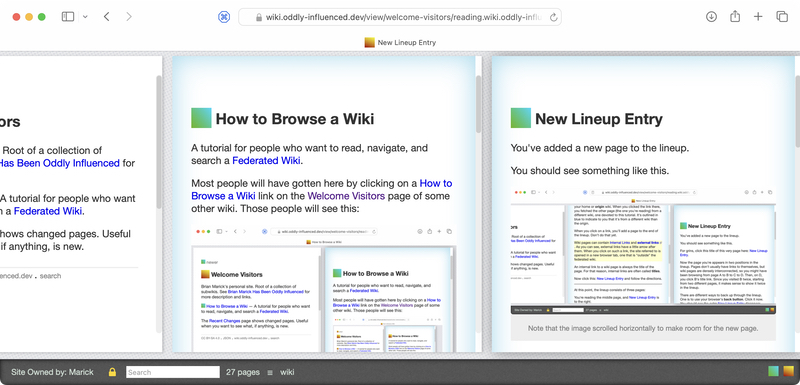
Note that the pages scrolled left to make room for the new one.
For grins, click this title of this very page here: New Lineup Entry.
Now the page you're reading appears in two positions in the lineup. Pages don't usually have direct links to themselves, but wiki pages are densely interconnected, so you might have been browsing from page A to B to C to D. Then, on D, you click B's title link. Since you visited B twice, starting from two different pages, it makes sense to show it twice in the lineup.
There are different ways to back up through the lineup. One is to use your browser's **back button**. Click it now. You should see the extra New Lineup Entry disappear.
Another thing you can do is just click in the previous page (in this case "How to Browse a Wiki". That gives the previous page focus, as indicated by a fairly subtle shadow effect. Try it by clicking anywhere that's not any kind of link. This page will not disappear. Then click back to this page.
(Note: some versions of some browsers sometimes leave the last page in the lineup not quite fully in the browser tab. If that happens, click on the page to bring it all the way in.)
Alternately, you can use the keyboard **left arrow** key to move left in the lineup. Pages will scroll horizontally to make them fully visible. (Your browser tab may be too wide to see that in action.)
As you'd expect, the right arrow moves right.
Use the left arrow to move to the previous page and continue where you left off.