
As you browse the federated wiki, your browser will keep track of wikis you've shown an interest in. When you search, you're searching all the sites in that **attention neighborhood** (often just called "the neighborhood").
The idea is that the wikis you've paid attention to will produce more pertinent results than searching all the wikis in the whole federation.
The attention neighborhood isn't something you have to manage. Wikis get added to it automatically. For example, at this point you have two wikis in your neighborhood: the one you originally came from (the origin) and this wiki.
You can see the number of wikis in the neighborhood by glancing down to the bottom of the screen (the dark grey lower border), below the rightmost page. You should see two colored boxes or **flags**.
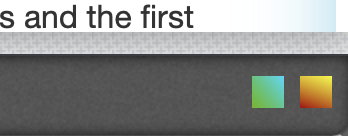
Two flags
Notice that one of them is green, the same color as the flag next to the title of this page. That's the wiki that delivered this page.
Unless you're unlucky and came from a wiki that uses the same color, the other flag is a different color. That represents the origin wiki.
You can hover over the flags to see the URL of the corresponding wiki.